The reason why I choose Azure
Quote
To be honest, although I have explored various cloud platforms ranging from basic to complex, Azure remains my priority for compute resources. The platform supports a vast ecosystem of services, tools, and utilities that significantly enhance the user experience. Rather than a direct comparison between providers, this series focuses on why I choose Azure: the most impactful services, high-level architecture and infrastructure patterns, the role of Azure in DevOps and development workflows, and the milestones I have achieved while working with the platform.
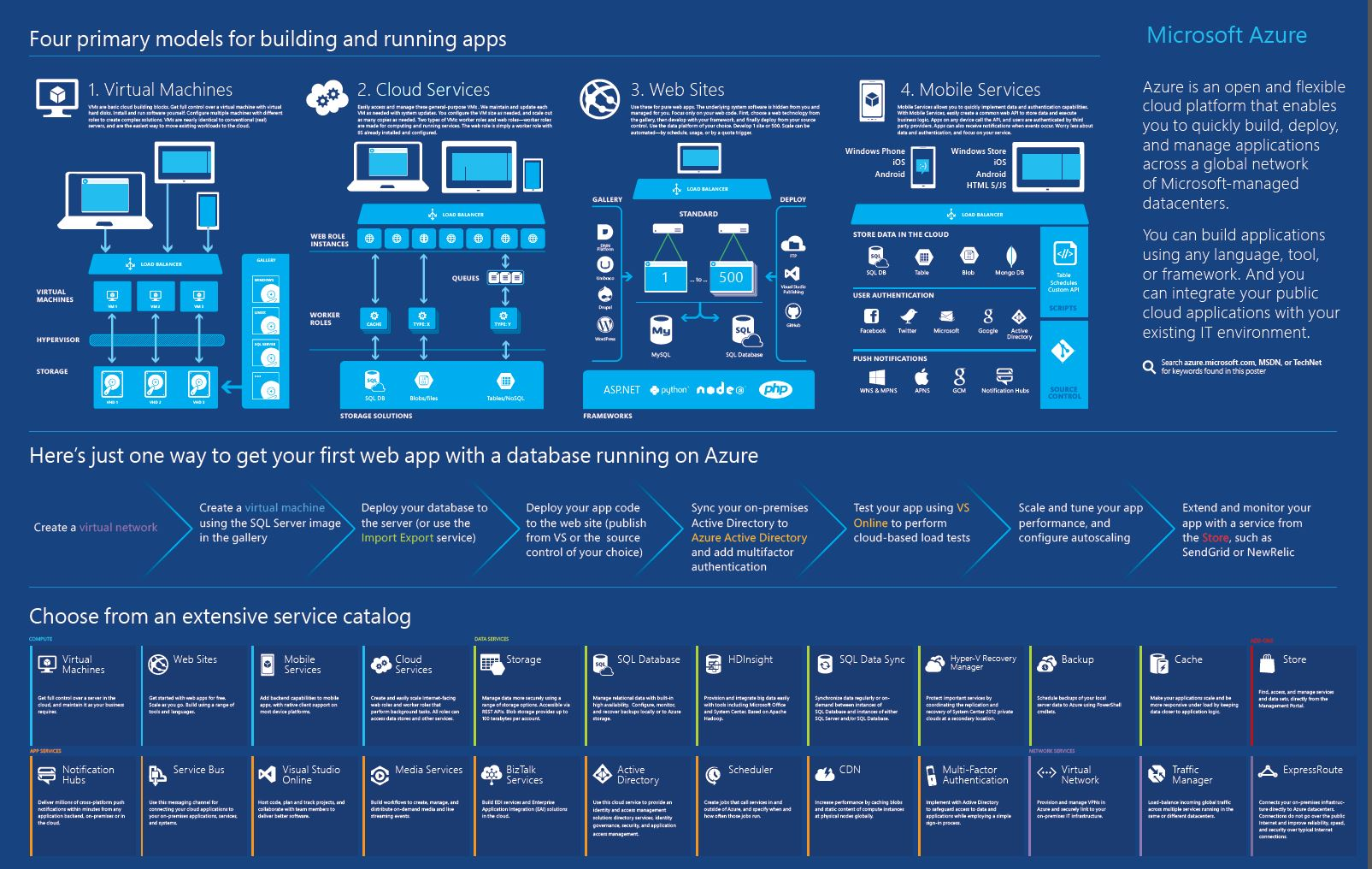
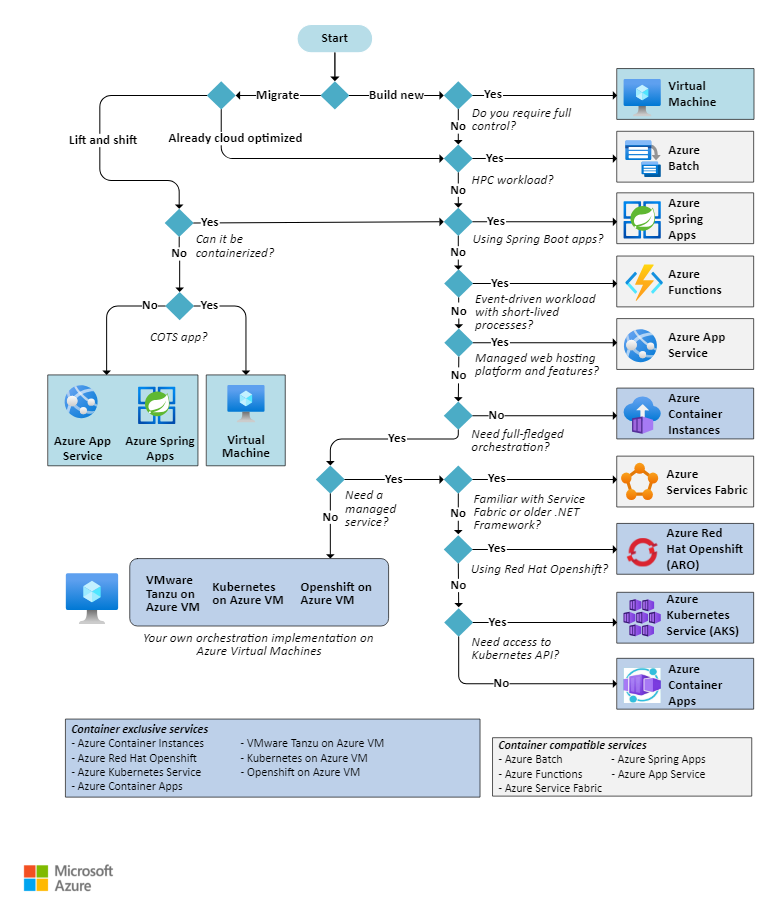
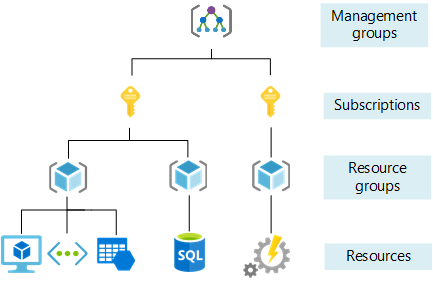
What you can find out and figure out about Azure, Cloud Computing, Documentation, Services and more, Link is down-below 🤝
Architecture
- Azure - Browse Azure Architectures 🌟 (Recommended)
- Azure - Sample Code from Microsoft Developer Tools
- Azure - Well-Architected Framework 🌟 (Recommended)
- Azure - Application architecture fundamentals
Community
- Azure - Blog 🌟 (Recommended)
- Azure - Tech Community
- Azure - Azure Category Community
- Azure - Architecture Blog 🌟 (Recommended)
General
- Wikipedia - Microsoft Azure
- Azure - Documentation
- Azure - Technical documentation
- Azure - Learning Platform 🌟 (Recommended)
- Azure - Register Account
Utilities
Info
If you want to receive the credit from VS Subscription, you can direct use via Monthly Azure credits for Visual Studio subscribers
Awesome Azure Repository
Repository
- Awesome Microsoft Azure Architecture - A curated list of AWESOME blogs, videos, tutorials, code, tools, and scripts related to the design and implementation of solutions in Microsoft Azure. 🌟 (Recommended)
- Azure Resource Manager QuickStart Templates - Azure Quickstart Templates about
azure-armorbicep🌟 (Recommended) - azure-interview-questions: 🟣 Azure interview questions and answers to help you prepare for your next technical interview in 2026.
Page
- Azure Verified Modules - An initiative to consolidate and set the standards for what a good Infrastructure-as-Code module looks like.
Organization
- Microsoft Azure - APIs, SDKs and open source projects from Microsoft Azure 🌟 (Recommended)
- Microsoft Docs - The modern documentation service for Microsoft
- Azure Samples - Microsoft Azure code samples and examples in .NET, Java, Python, JavaScript, TypeScript, PHP and Ruby
Blogs, Articles and Videos
Articles
- Azure - Technology choices for Azure solutions
- Azure - Subscription and Service Limits, Quotas, and Constraints
- Azure - Web applications architecture design
- Azure - Use the portal to attach a data disk to a Linux VM 🌟 (Recommended)
Blogs
Azure CLI
az vm
Create virtual machine
Documentation: az vm create
az vm create -n MyVm -g MyResourceGroup --image Ubuntu2204az acr
Login to your acr
Documentation: Authenticate with an Azure container registry and az acr login
az acr login --name acrnameaz containerapp
Update new information for containerapp
Documentation: az containerapp update
# Use two env first is your selection, second is get from secrets
az containerapp update --name containerappName \
--resource-group rg --image img_locate \
--set-env-vars "ASPNETCORE_ENVIRONMENT=$(environmentApplication)" \
"ConnectionStrings__Default=secretref:db-connection-string"
Exec to container app
Documentation: az containerapp exec
Note
Execution when you have only one container and one revision
az containerapp exec -n my-containerapp -g MyResourceGroup --command bashNote
Execution when you have specified one container and one revision in one of those
az containerapp exec -n my-containerapp -g MyResourceGroup --replica MyReplica --revision MyRevision