Tag: #docker
10 items with this tag.

Personal DIY Projects Management
Note The icon to telling you about what task is on progress or pending 😄 ✍ : On progressing, It usually attaches with github and blog 🚧 : Pending, just stop like a note, and idea to doing something around that.

How can I build my homelab with Docker Swarm ?
Quote Hello, Hello @all, welcome back to my new blog. Couple of weeks ago quite busy and enjoyable of myself, I just spend for refresh in holiday and spend a week for my family and friend.
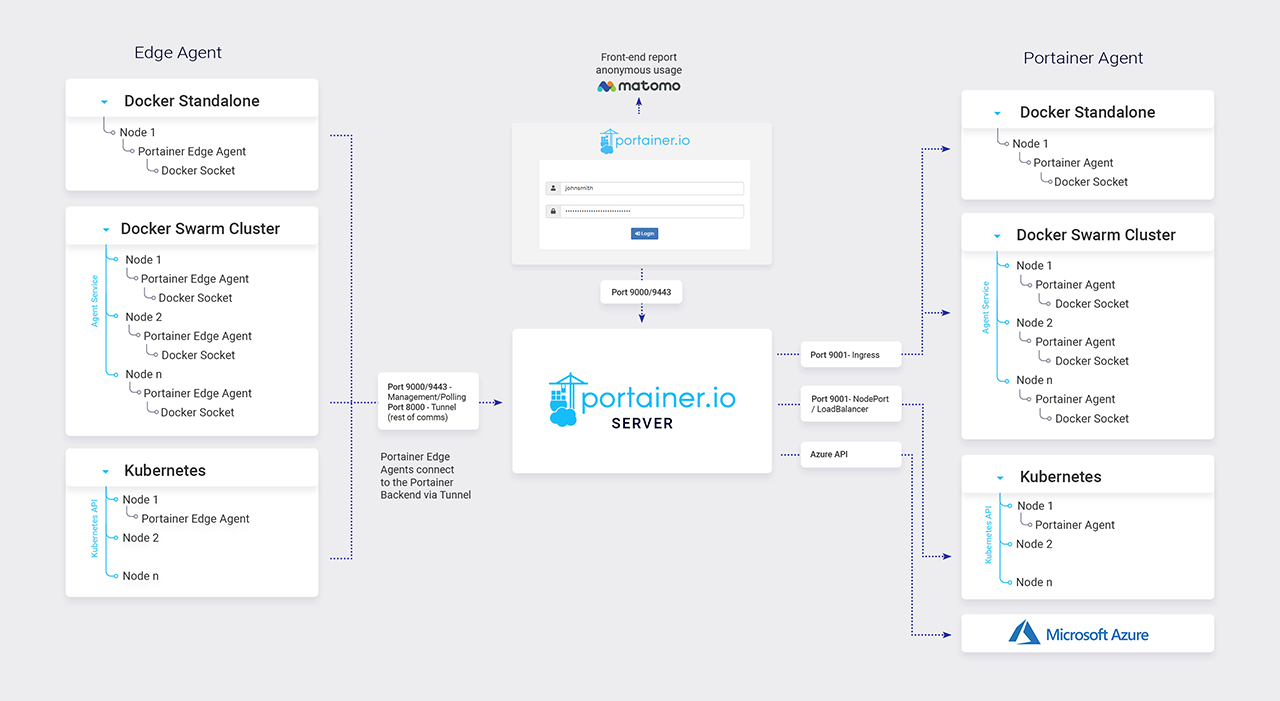
Monitoring with Portainer
Config Portainer with Shell Scripting So for easily managing and reading logs, metrics, and exec console of containers, you will need monitoring tools, and portainer is exactly what you want, go to documentation for more detail.
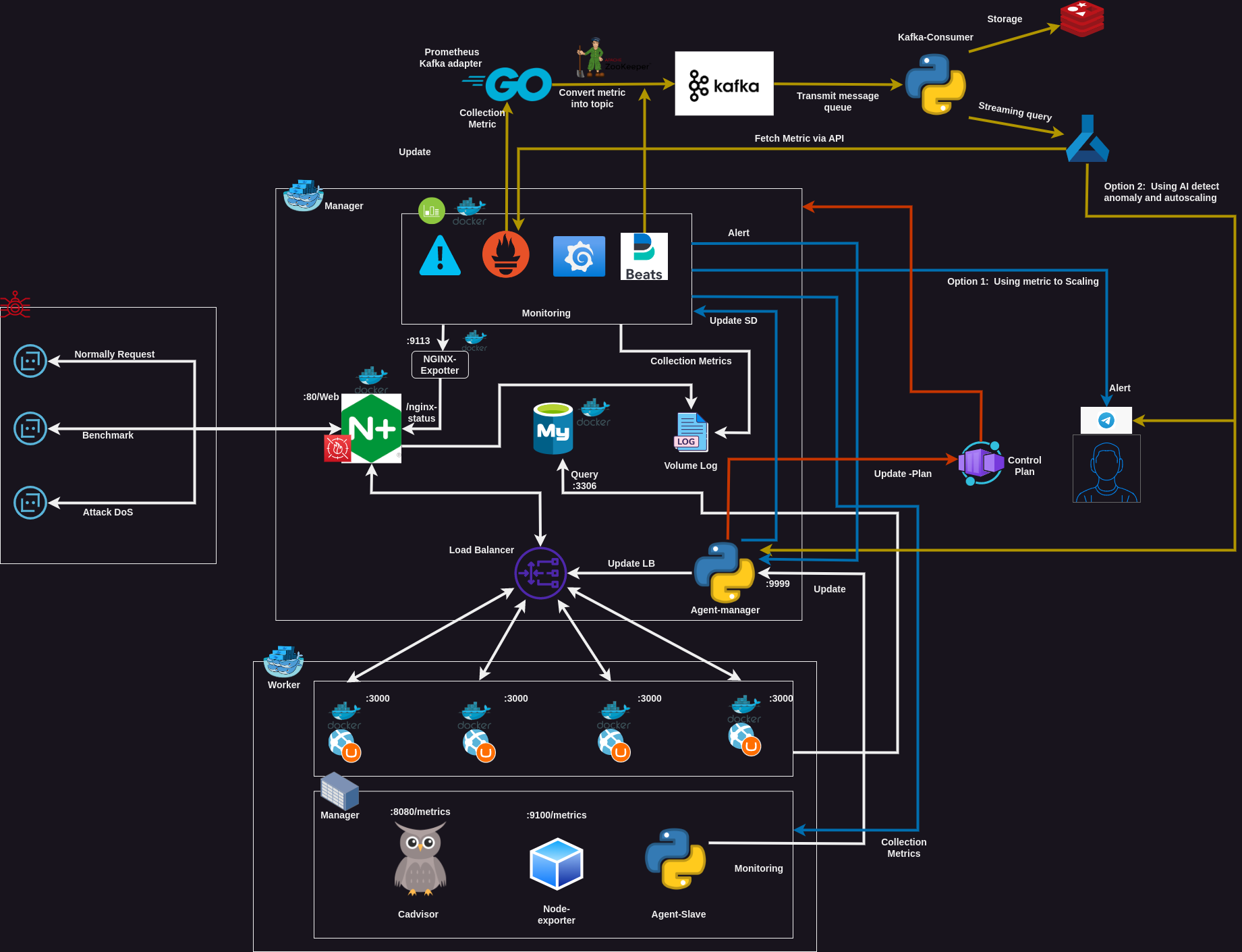
Network traffic monitoring and analysis for anomalies detection and auto-scaling
Why was it gonna released ? NTMA - Project Infrastructure Quote Hi @all, About releasing documentation for final university project, I want to hold this on hand in little bit time but I think It could helped another, therefore, When I contribute and hope It can help you and make solution on near future !!! LOL.

Do self-hosted analytics platforms for your website with automatically SSL domain
Quote Hi @all, Hope you have nice weekend. On this week, I will talk about little bit a new things what I try and applied for my wiki-site for analytics, tracking the activity on my site with umami.

Create Free SSL with Let's Encrypt and Certbot
For SSL implementation, various technologies are available. Nevertheless, to optimize the cost of operating your system, pairing a static IP address with Let’s Encrypt and the Certbot Python 3 client is highly recommended for your domain.
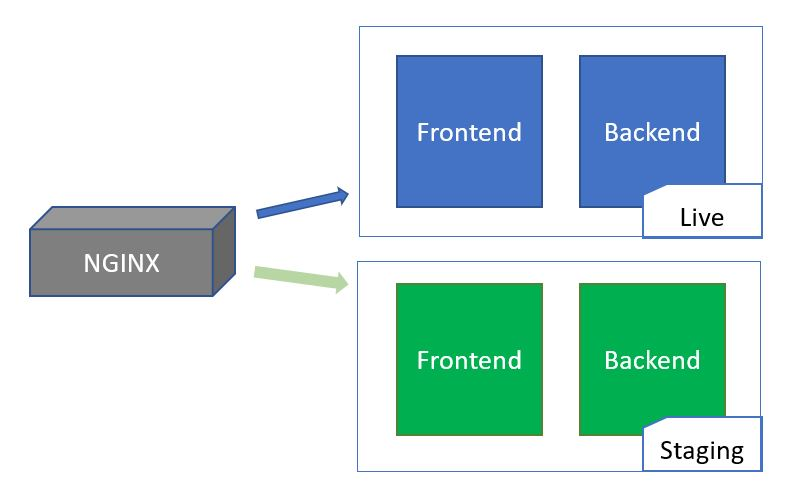
0-downtime with Blue-Green Deployment
Info Solution: Choose for temporary Blue and Green deployment. More detail can be found in this Custom Blue Green Deployment With Nginx And Gitlab Ci Blue and Green deployment strategy Nginx with bash scripting With the bash script is registered via cronjob, we need to consider about two things Nginx need to be setup for reverse proxy and route traffic when downtime occur Docker will have strategy about scale up and down the service for reducing down time With nginx configuration, it will be possible to reload a new configuration Nginx and except downtime when updating service with nginx (Service will have retries but not return 5xx Error) On the script, it will flexibly re-change between 2 configurations via Blue Green Deployment Docker for Zero Downtime Have sleep command between them, so it will change to default when the service becomes stable Docker With Docker strategy, it will perform some this task like When have new image on container registry, it will perform pull new image on that time.

Awesome Docker Compose CLI
Installing You can try install docker compose in two method, apt package managing or manually. Read more at Install the Compose plugin (Recommended) Install Compose standalone Use apt package sudo apt install docker-compose-plugin -y Manually download To download and install the Compose CLI plugin, run DOCKER_CONFIG=${DOCKER_CONFIG:-$HOME/.
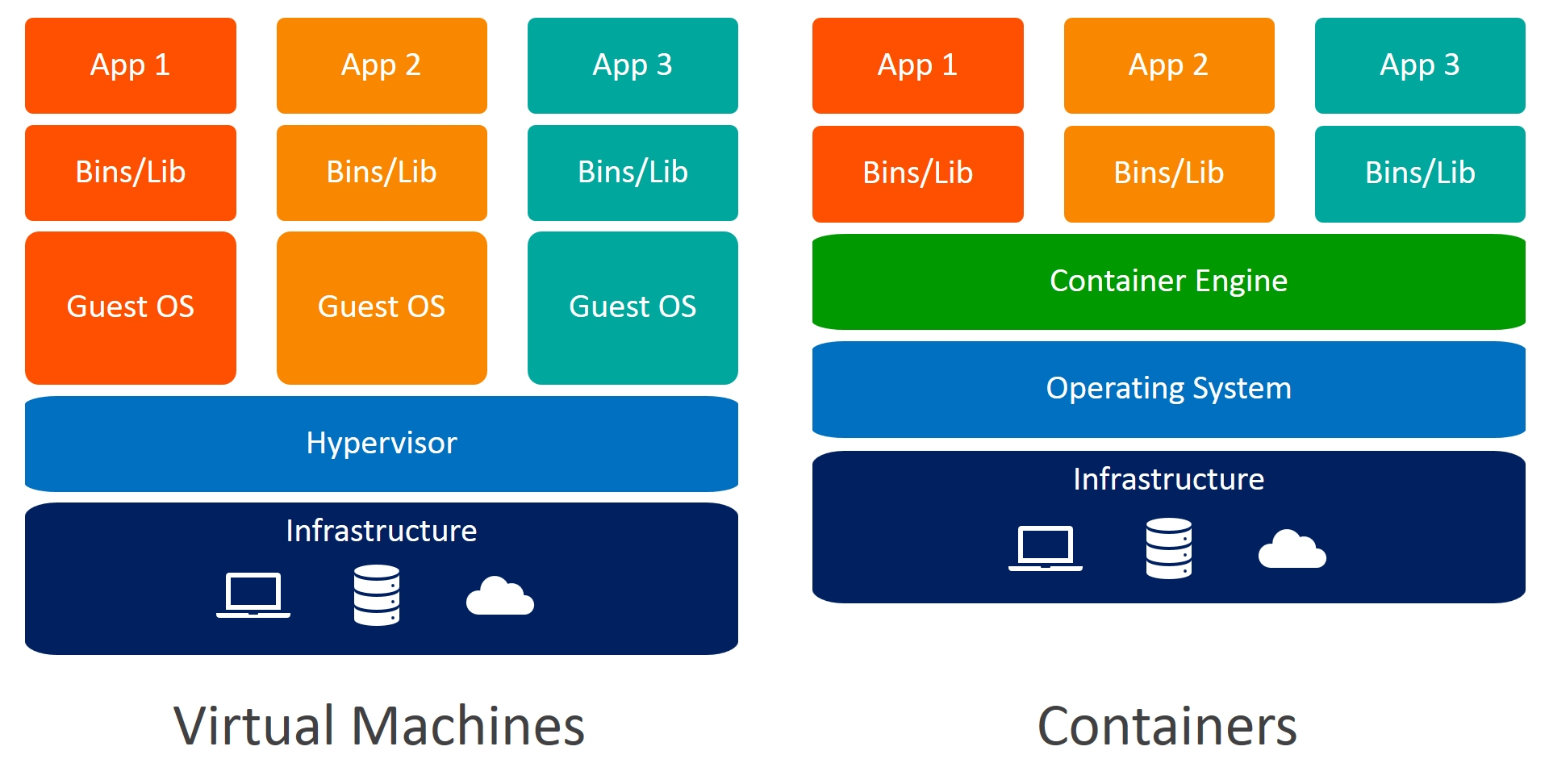
Awesome Containerization
Docker & Containerization Articles Medium - Powerful Docker Alternatives in 2024 AquaSec - Container Engines: How They Work and Top 7 Options 🌟 (Recommended) Blackvoid - Synology, Docker and open source tech blog Medium - Deep Dive into Docker Containers | Architecture and Features Docker - Alternative container runtimes 🌟 (Recommended) Cloudraft - Most Popular Container Runtimes Medium - 11 Open-Source SaaS Killer — Selfhost With Docker Medium - 11 Open-Source SaaS Killer — Selfhost With Docker -2 Medium - 11 Open-Source SaaS Killer — Selfhost With Docker -3 Dev.

Awesome Docker CLI
Installing The default installation (via APT) # Apply with Debian, Ubuntu or Kali sudo apt update && sudo apt install docker.io docker-compose -y # Enable and add permission (Usually: You terminal is not root, if root you can escape) sudo usermod -aG docker $USER sudo systemctl enable docker.